Chat with your documents get answers, backed by sources
Upload a file, ask a question, and find the answer in your document.
Drag & drop your documents
Supports PDF, Word, Excel, CSV up to 5MB
Have text instead?
Paste notes, articles, or an excerpt.
Paste text
Watch how it works
See WePDF in Action
From upload to answers in one workspace.
See how it works
Upload a document
Add a file, text, or YouTube link.
AI Analysis
WePDF processes the content for your questions.
Chat & Edit
Ask questions and check the source.
Document AI preview
Your document. Your conversation.
Ask a question. Jump to the source.
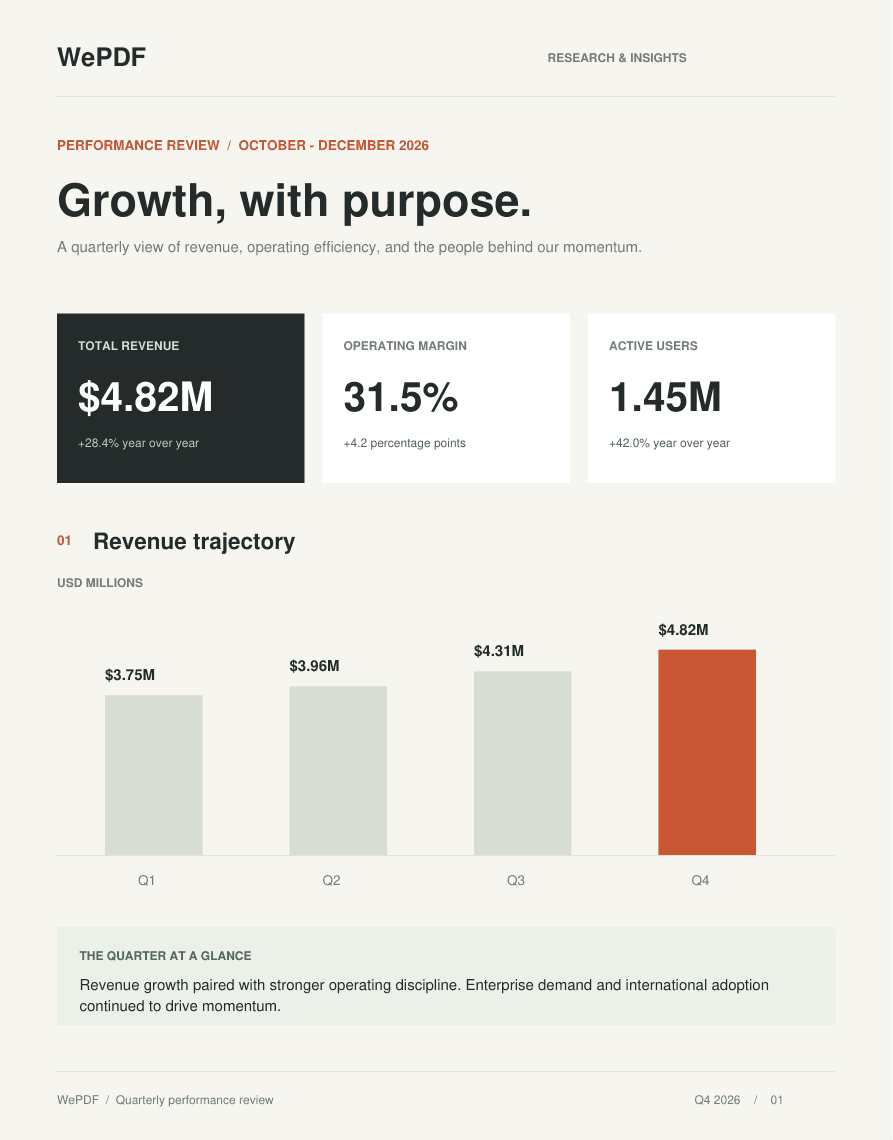
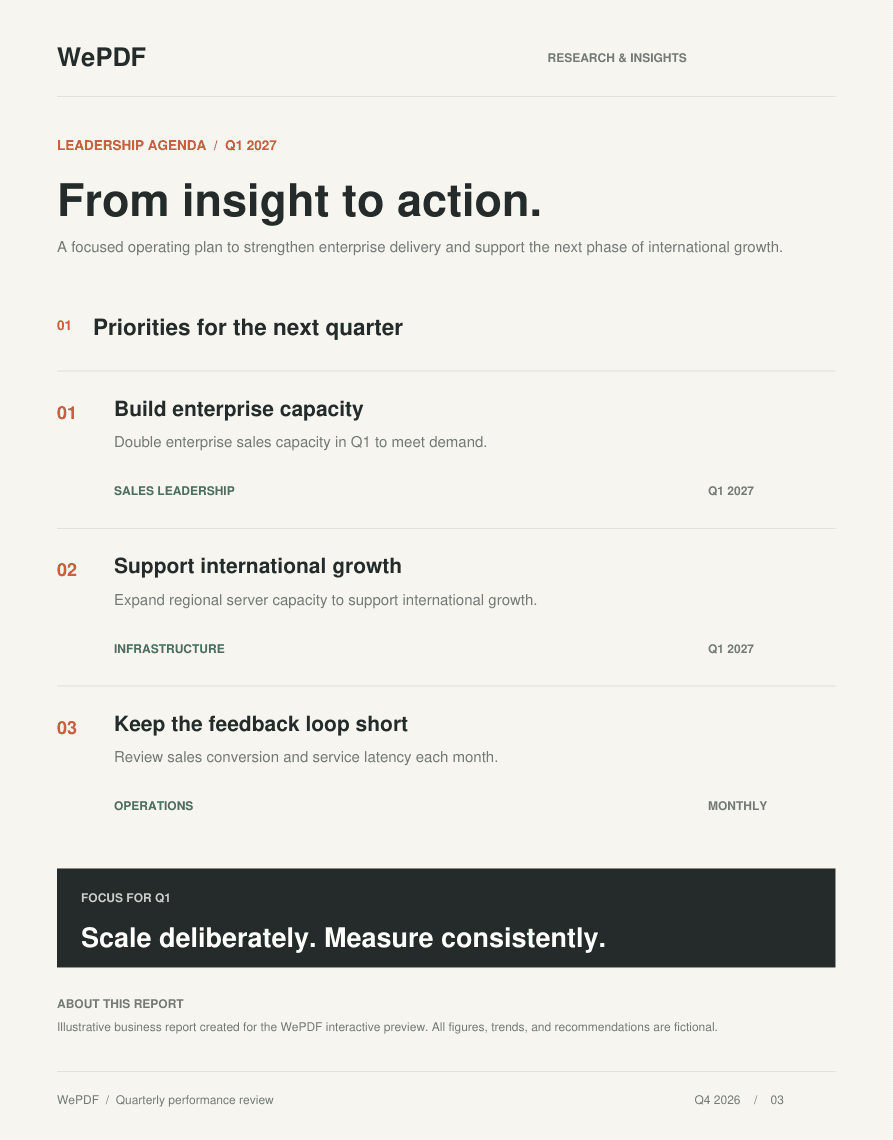
Hello! I’ve analyzed Financial_Report_Q4.pdf and it’s ready to explore.
Choose a prompt below to explore the report.
Give me an executive summary of this section in 3 concise bullet points.
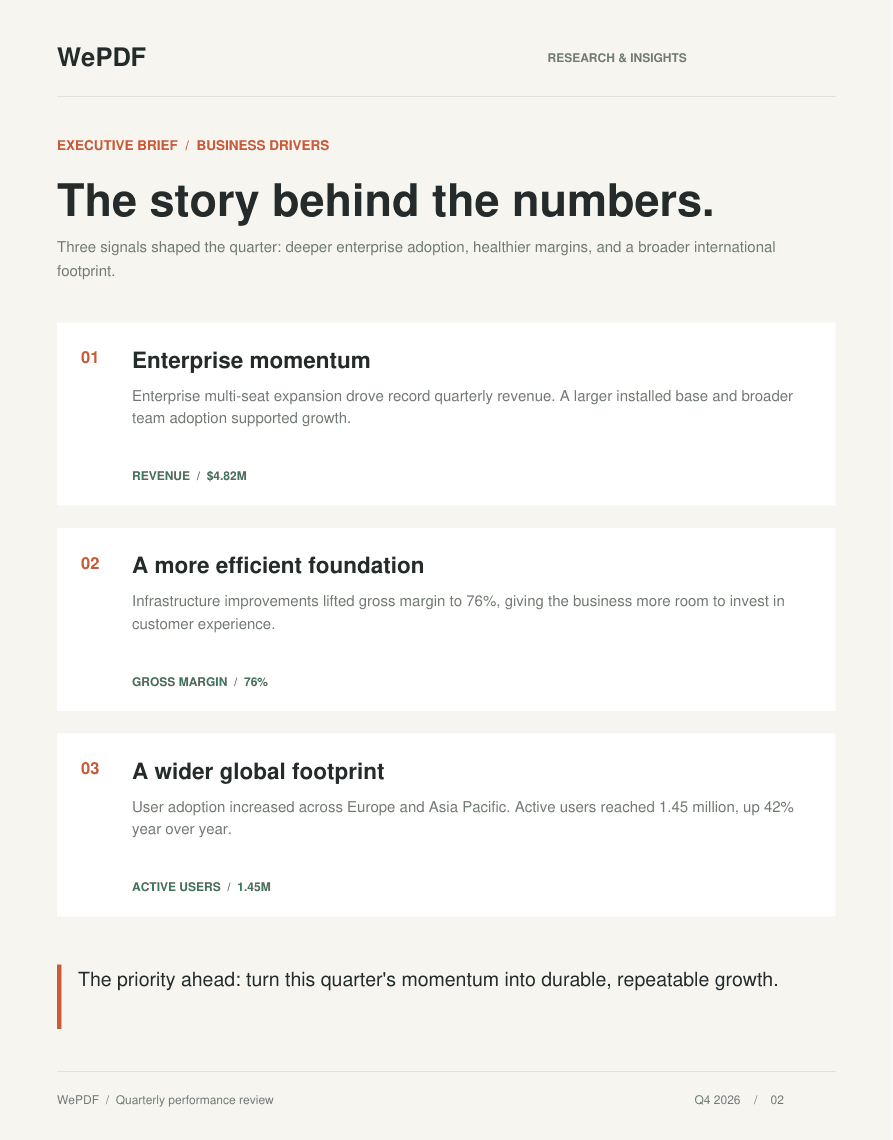
Executive summary for Financial_Report_Q4.pdf:
- Revenue reached all-time highs driven by enterprise multi-seat expansion.
- Gross margins improved to 76% due to infrastructure optimizations.
- International user adoption surged across EU and APAC regions.
Sample document & answers · Sign up to chat with your own files
Built for your workflow
Less searching. More understanding.
Read, learn, and work with your files.
Find answers
Ask questions instead of searching page by page.
Work across formats
Bring PDFs, Word files, spreadsheets, and CSVs.
Check the source
Follow page references back to your document.
Learn from your notes
Create quizzes, flashcards, and short questions.
Edit and convert
Update, organize, and export your PDFs.
Keep work together
Revisit documents, chats, and study kits.
The PDF toolkit
PDF tools for everyday work
Convert, edit, organize, and protect.
A little clarity
Frequently Asked Questions
Quick answers about files, AI, and your account.
Getting started
What can I do with WePDF?
Ask questions about documents, summarize content, and create study kits. Use the PDF tools to edit, convert, organize, sign, and protect files.
Can I try WePDF without creating an account?
Yes. Guests can try up to 10 tracked AI uses in their browser. Log in or create an account when that allowance is reached.
Which documents can I upload for AI chat?
Upload PDF, Word, Excel, or CSV files. For notes and articles, choose Paste Raw Text. Other tools list their supported formats separately.
What is the maximum upload size?
AI chat, audio/video, and study kit uploads allow up to 25 MB per file. Server-based PDF conversion, security, and OCR tools allow up to 50 MB per file.
AI chat & learning
How does chatting with a document work?
Upload a file and wait for processing. Then ask questions in the chat beside your document.
Can I check where an AI answer came from?
When an answer includes a PDF page reference, select it to view the source. References depend on the file and extracted content. Check important answers against the original.
Can I analyze YouTube videos and audio recordings?
Yes. Add a YouTube link to analyze an available transcript, or upload media for transcription. Availability depends on the source and your plan.
How do AI study kits work?
Upload PDF or Word material, select up to 20 pages, and choose the number of MCQs, flashcards, and short questions. Access depends on your plan or guest trial.
Will scanned or image-only PDFs work in AI chat?
For image-only scans, run OCR first and use the extracted text for AI analysis. Blurry scans, handwriting, and complex layouts may need correction.
PDF tools & plans
Which PDF editing and conversion tools are available?
Merge, split, edit, rotate, crop, compare, sign, and protect PDFs. Convert Office files, images, text, and other supported formats using the individual tools.
Do I need a paid plan for every tool?
No. Standard PDF tools are free. Selected advanced tools have a daily free allowance. Open Pricing to compare Pro and Elite access and AI limits.
Will a converted file look exactly like the original?
Not always. Fonts, tables, scans, and complex layouts may change during conversion. Preview the output before using it.
Your files & workspace
Are all files processed on my device?
Some PDF tools run in your browser. AI, transcription, OCR, and certain conversions use server-side services; AI features also use external AI providers.
Can I return to my documents and conversations?
Yes. Your dashboard lists documents, study kits, and saved chats. Sign in for your account workspace; guest access is tied to your browser session.
Can I rename or remove a document or study kit?
Yes. Open the item’s dashboard menu to rename or delete it. Save any output first; the dashboard has no restore option.
Put your documents to work.
Start with a file. Find your next answer.